What Is Reticuli
Understand what Reticuli is, what it helps you build, and which page to read next.
 Reticuli
Reticuli is a product for building AI assistants from your own knowledge, examples, and deployment needs.
Use it when you want an assistant that can answer from your documents, follow your preferred style, test replies before launch, and move toward a live endpoint when the result is ready.
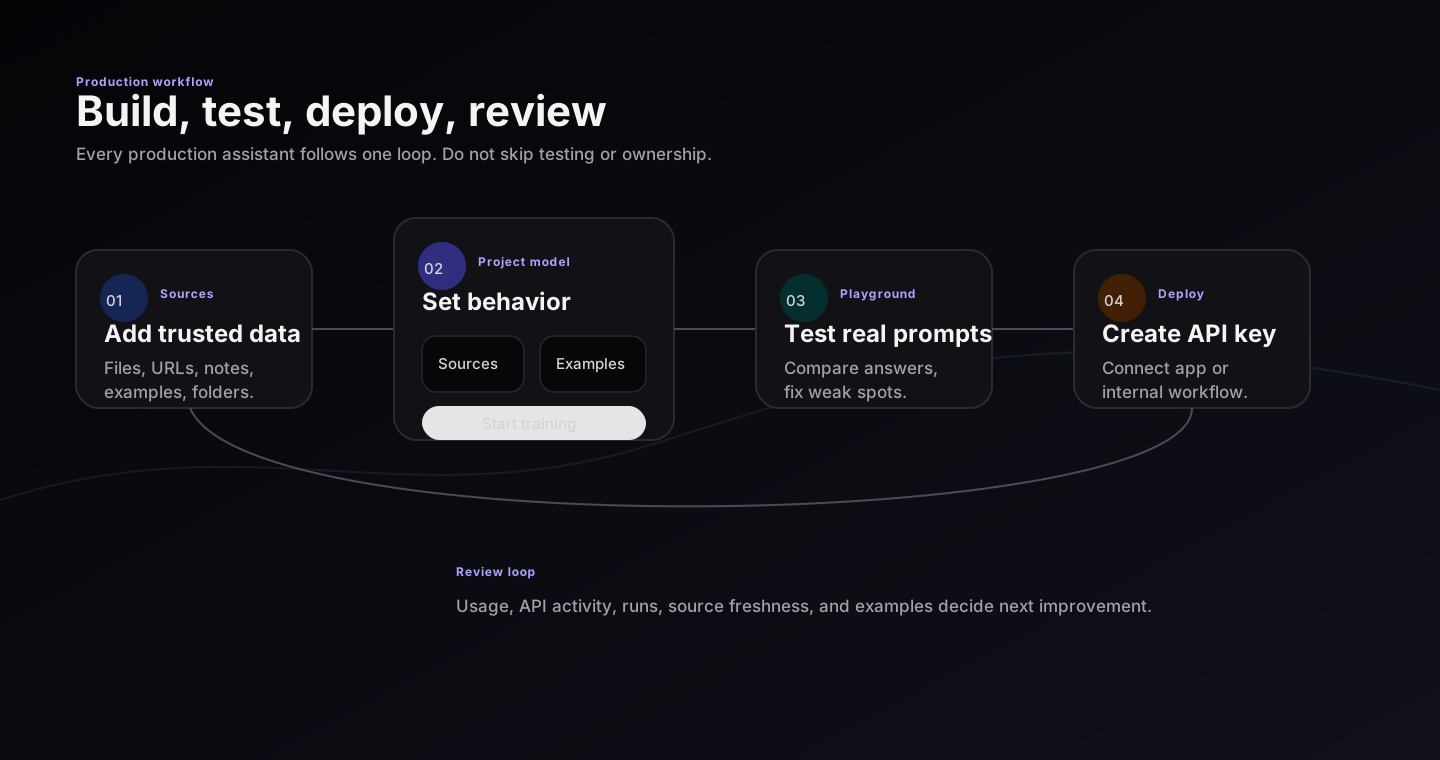
Reticuli combines source grounding, training examples, playground testing, deployment keys, and workspace usage review in one project workflow.
What you can build
- A support assistant that answers from help docs and previous tickets.
- An internal assistant that understands policies, SOPs, handbooks, and playbooks.
- A product assistant that cites the right documentation before answering.
- A drafting assistant that follows examples from your strongest team members.
- A private assistant that combines retrieval, fine-tuning, testing, and deployment in one project.
The basic idea
Reticuli has three practical building blocks:
| Building block | Plain meaning | Use it when |
|---|---|---|
| Knowledge base | Documents the assistant can search before answering | Answers must use current facts, policies, or product details |
| Fine-tuning | Examples that teach tone, structure, and judgment | Answers need to sound and behave like your team |
| Deployment | The live assistant endpoint and keys | Users or systems need to use the assistant outside setup screens |
Every project can use source data, training examples, playground tests, and deployment. You do not need to choose a narrow project type up front.
Real workflow
- Sign in with passkey, GitHub, Google, or email code.
- Create a project with one assistant job.
- Add trusted data on the canvas.
- Review source files and generated examples before training.
- Test with the same prompt set in Playground.
- Deploy through API key when answers are stable.
- Watch usage and update sources or examples as real questions arrive.
Reading order
If you are new, read these pages in order:
If you already understand AI products, go straight to Advanced usage.