
Get Started
Build your first useful Reticuli assistant without needing to understand model infrastructure.
This page gives the shortest reliable path from empty workspace to production-ready assistant.
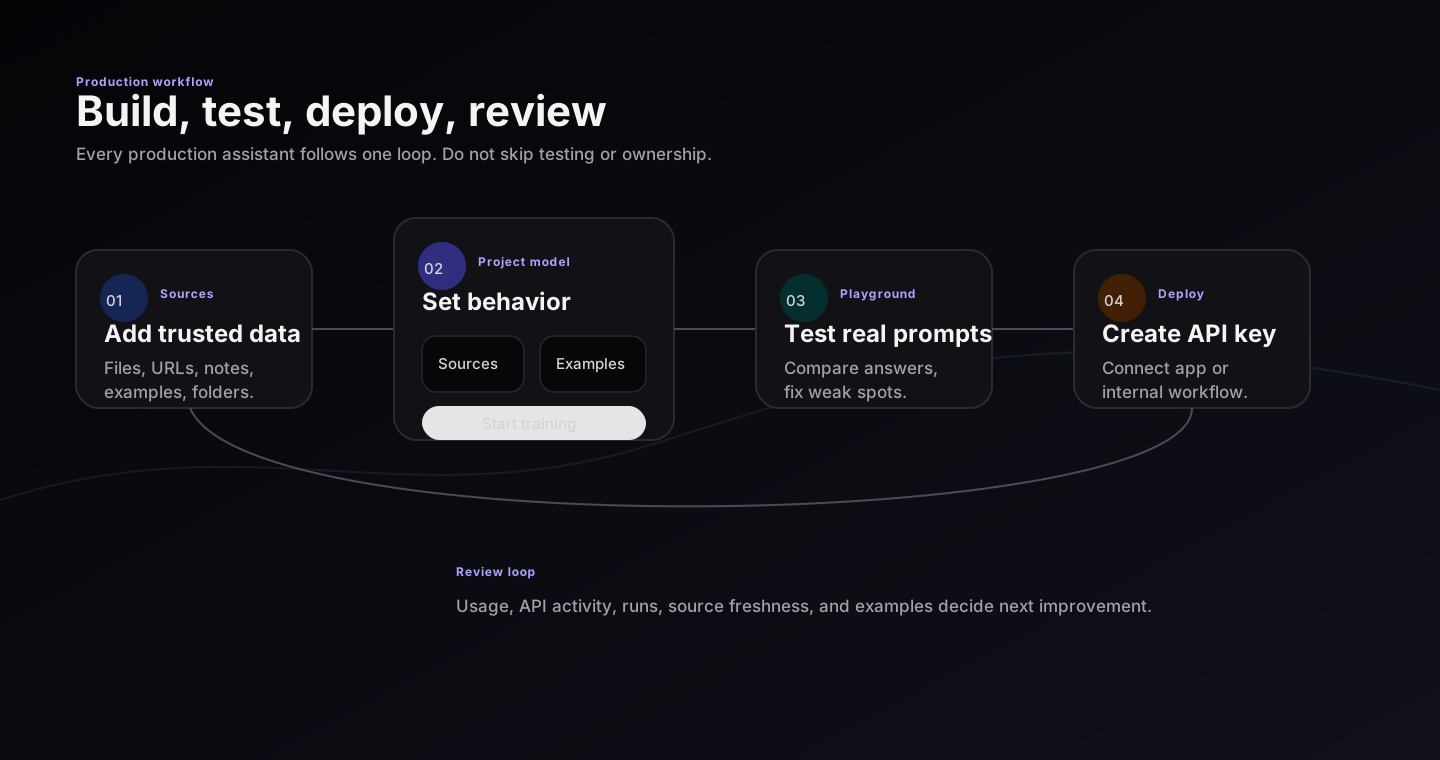
Use this loop for every assistant: add trusted material, shape behavior, test real prompts, deploy with an API key, then review usage.
Before creating project
Write one sentence:
This assistant helps
[audience]do[job]using[trusted material].
Good examples:
- This assistant helps support agents answer billing questions using our help center and refund policy.
- This assistant helps new hires find HR answers using the employee handbook and onboarding docs.
- This assistant helps lawyers draft clause notes using our playbook and approved example comments.
Weak examples:
- This assistant answers anything.
- This assistant replaces team review.
- This assistant knows every document.
First production workflow
- Create one project for one audience.
- Add a small set of trusted source files, URLs, notes, or examples.
- Open the Project Canvas and confirm source status is ready.
- Generate or review training examples only when behavior needs tuning.
- Test with real prompts in Playground.
- Fix weak answers by changing sources, examples, or assistant brief.
- Create API key in Deploy only after repeated tests pass.
- Review Usage, Runs, and API activity after launch.
What to add first
Start small. Ten good files are better than hundreds of noisy files.
Use:
- current help docs
- policy pages that are still true
- product pages that users already trust
- examples of good answers
- real prompts from customers or teammates
Avoid:
- outdated exports
- duplicate files
- private material that the assistant should not use
- huge mixed folders with unrelated topics
- examples of bad answers unless they are clearly labeled as bad
First hour checklist
| Minute | Action | Result |
|---|---|---|
| 0-10 | Create project, name audience and job | Everyone knows what success means |
| 10-25 | Add best sources and folders | Canvas shows data shape |
| 25-35 | Review source readiness | Failed or duplicate files are visible |
| 35-50 | Ask 10 real questions in Playground | First quality signal |
| 50-60 | Write fixes before adding more data | Project improves intentionally |
What success looks like
Your first assistant is successful when it can answer one narrow group of questions reliably.
It does not need to answer every possible question. It needs to be dependable for the job you chose.